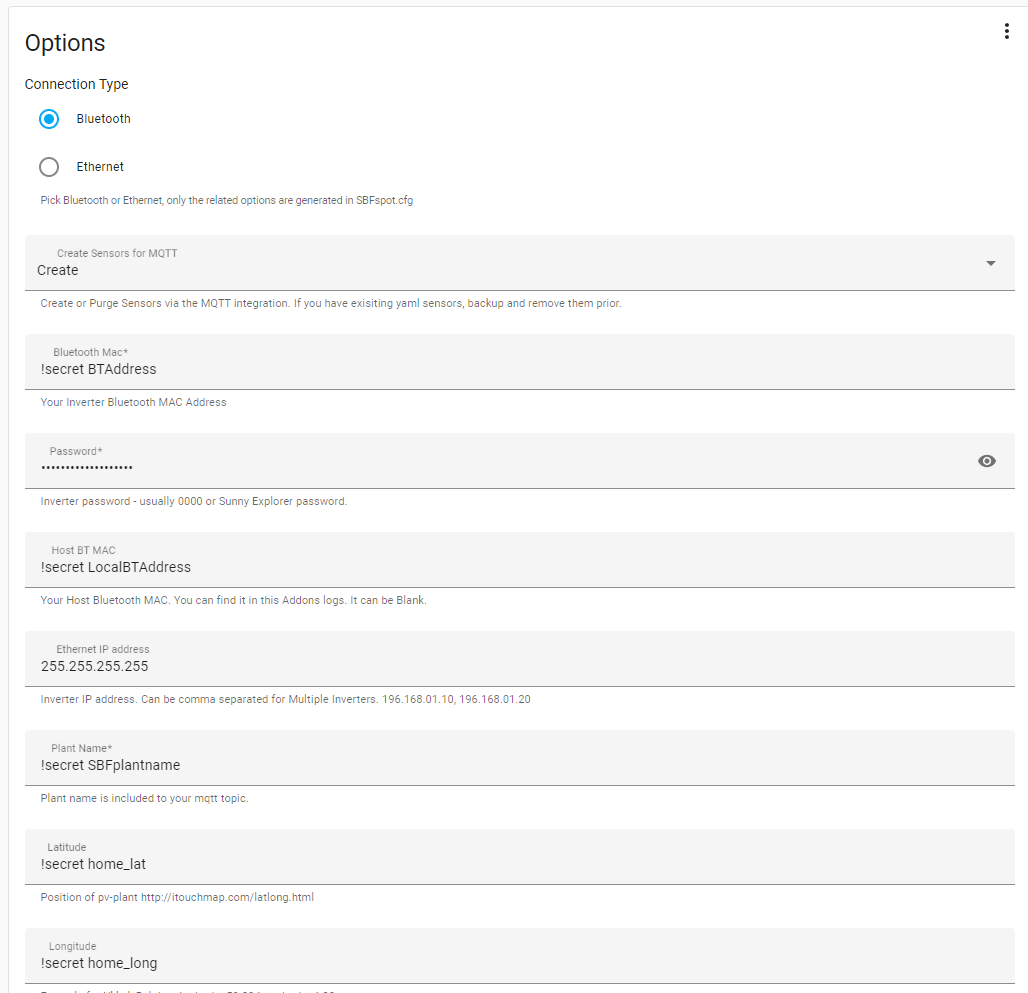
Description available in the SBFspot config file. [MASTER SBFspot CFG](https://raw.githubusercontent.com/SBFspot/SBFspot/master/SBFspot/SBFspot.cfg) - Default list of Sensors for MQTT_Data ``` PrgVersion,Plantname,Timestamp,SunRise,SunSet,InvSerial,InvName,InvTime,InvStatus,InvSwVer,InvClass,InvType,InvTemperature,EToday,ETotal,GridFreq,PACTot,PAC1,UAC1,IAC1,OperTm,FeedTm,PDCTot,UDC1,UDC2,IDC1,IDC2,PDC1,PDC2,BTSignal ``` - Current available list of sensors ``` PrgVersion,Plantname,Timestamp,SunRise,SunSet,InvSerial,InvName,InvTime,InvStatus,InvSwVer,InvClass,InvType,InvTemperature,InvGridRelay,EToday,ETotal,GridFreq,PACTot,PAC1,PAC2,PAC3,UAC1,UAC2,UAC3,IAC1,IAC2,IAC3,OperTm,FeedTm,PDCTot,PDC1,PDC2,PDC,UDC1,UDC2,UDC,IDC1,IDC2,IDC,BTSignal,BatTmpVal,BatVol,BatAmp,BatChaStt,InvWakeupTm,InvSleepTm,MeteringWOut,MeteringWIn,MeteringWTot ```
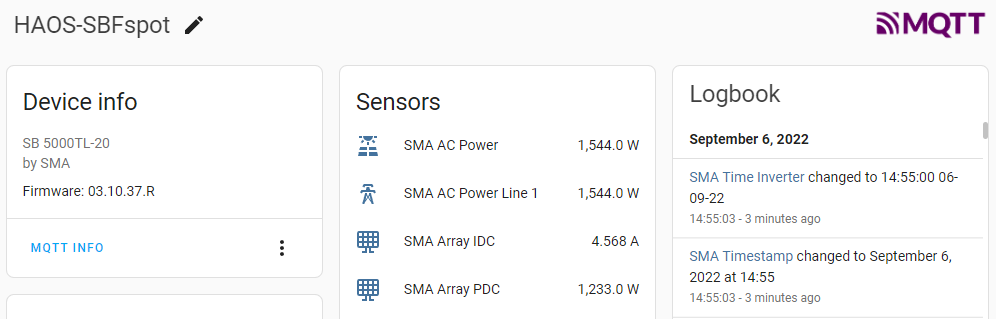
- Use this option if you want to keep your existing yaml energy sensor on the energy dashboard. You can make new sensors. You can't convert the new sensors to keep the old energy dash values.
[MQTT Integration](https://www.home-assistant.io/integrations/mqtt) It is advised to **backup and/or disable existing yaml sensors** to avoid naming conflicts. Updating the new energy sensor to follow the old energy sensor on the energy dashboard is not possible in HA. - This option will create topics using your plantname and inverter serial number - homeassistant/sensor/sbfspot_{*Your Plantname*}/sbf_spot{*your inv serial*}{*SensorType*}/config - homeassistant/sbfspot_{Your Plantname}/sbf_spot{Your Inv Serial} is the state_topic
- This will fail if you change topics between creating and purging sensors. - You can use MQTT explorer or similar MQTT tool to manually remove the topics if this occurs.
### Prior to 2022.9.1 [haos-sbfspot_sensors.yaml](https://github.com/habuild/hassio-addons/blob/main/.images/sbfspot_sensors.yaml) I use packages to include these yaml sensors. You will need to change to match your plant name and serial as you have set in the add-on configuration options. **MQTT options argument** [configuration options](https://github.com/habuild/hassio-addons/blob/main/.images/Example_Config.yaml) The MQTT Username, and Password need to be hardcoded into the **MQTT_PublisherArgs:** The **{host}** **{topic}** and **{{message}}** will be picked up from options. **MQTT_PublisherArgs:** **'-h {host} -u Your_MQTT_Username -P Your_MQTT_password -t {topic} -m "{{message}}" -d -r'** Publisher arguments has been removed to allow for sensors **-d** is for MQTT debug in log. Which is helpful for confirming the MQTT messages are actually being sent. **-r** is to retain messages. it is advised against using retain flag