 Jeena
fcb3be8e96
Jeena
fcb3be8e96
Opening a video flashed plain black during the metadata-loading phase (before buffering, where the thumbnail already shows) — most visible on the TV where that phase is longer. Pass the opened card's thumbnail into the player and paint it full-screen (dimmed, under the spinner) during loading, handing off to the buffering thumbnail once the stream is ready, so the player opens onto the video's own poster instead of black. Co-Authored-By: Claude Opus 4.8 <noreply@anthropic.com> |
||
|---|---|---|
| app | ||
| docs | ||
| gradle | ||
| scripts | ||
| .gitignore | ||
| AGENTS.md | ||
| build.gradle.kts | ||
| gradle.properties | ||
| gradlew | ||
| gradlew.bat | ||
| LICENSE | ||
| README.md | ||
| settings.gradle.kts | ||
| TESTS.md | ||
JTube TV

Watch your PeerTube instance from the couch, with the remote.
JTube TV is an Android TV app for
 PeerTube.
It does for a PeerTube instance what SmartTube does for YouTube: a big-screen,
D-pad-first way to browse your videos, your channels and your watch history and
play them — and nothing else in the way.
PeerTube.
It does for a PeerTube instance what SmartTube does for YouTube: a big-screen,
D-pad-first way to browse your videos, your channels and your watch history and
play them — and nothing else in the way.
It is built for people who self-host their videos on PeerTube and want to watch them on the TV without a phone, a cast button or a browser. Sign in once with your PeerTube account and the whole instance is a few clicks away on the remote: your own uploads (private ones included), the channels you follow, what you were watching last, and the instance's public videos and search.
It works with any PeerTube instance over the REST API. The default in the sign-in screen is tube.jeena.net, the author's own instance, but you can point it at yours.
What it looks like
The screenshots use a public demo instance with real, CC-licensed open-movie content, courtesy of the Blender Foundation movies and the A propos de PeerTube channel — all of it plays in the app.
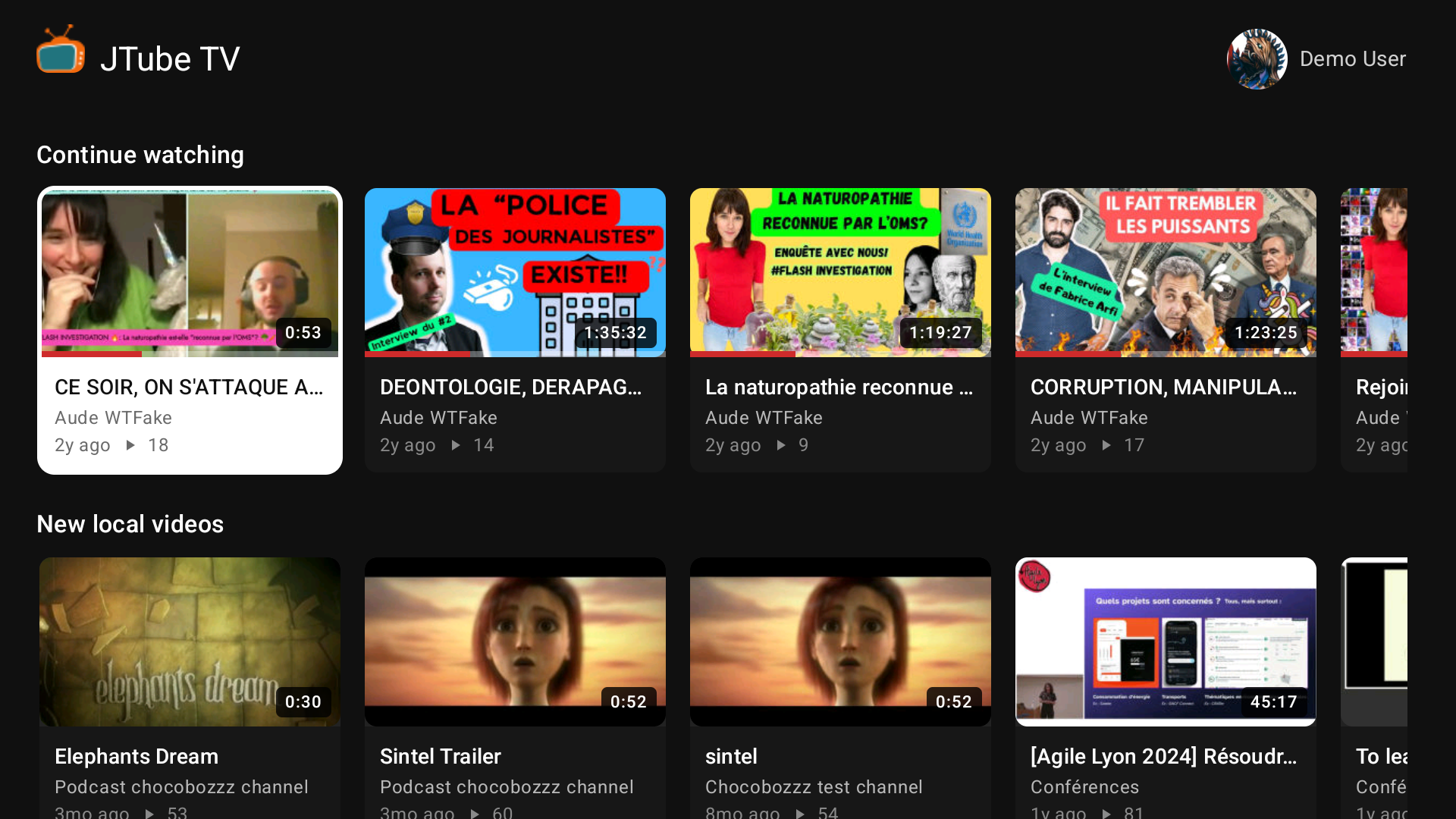
Home. Three rows: Continue watching picks up each video at the position the server saved, then the newest local videos, then the newest from the channels you follow. Scroll right and more load on their own.
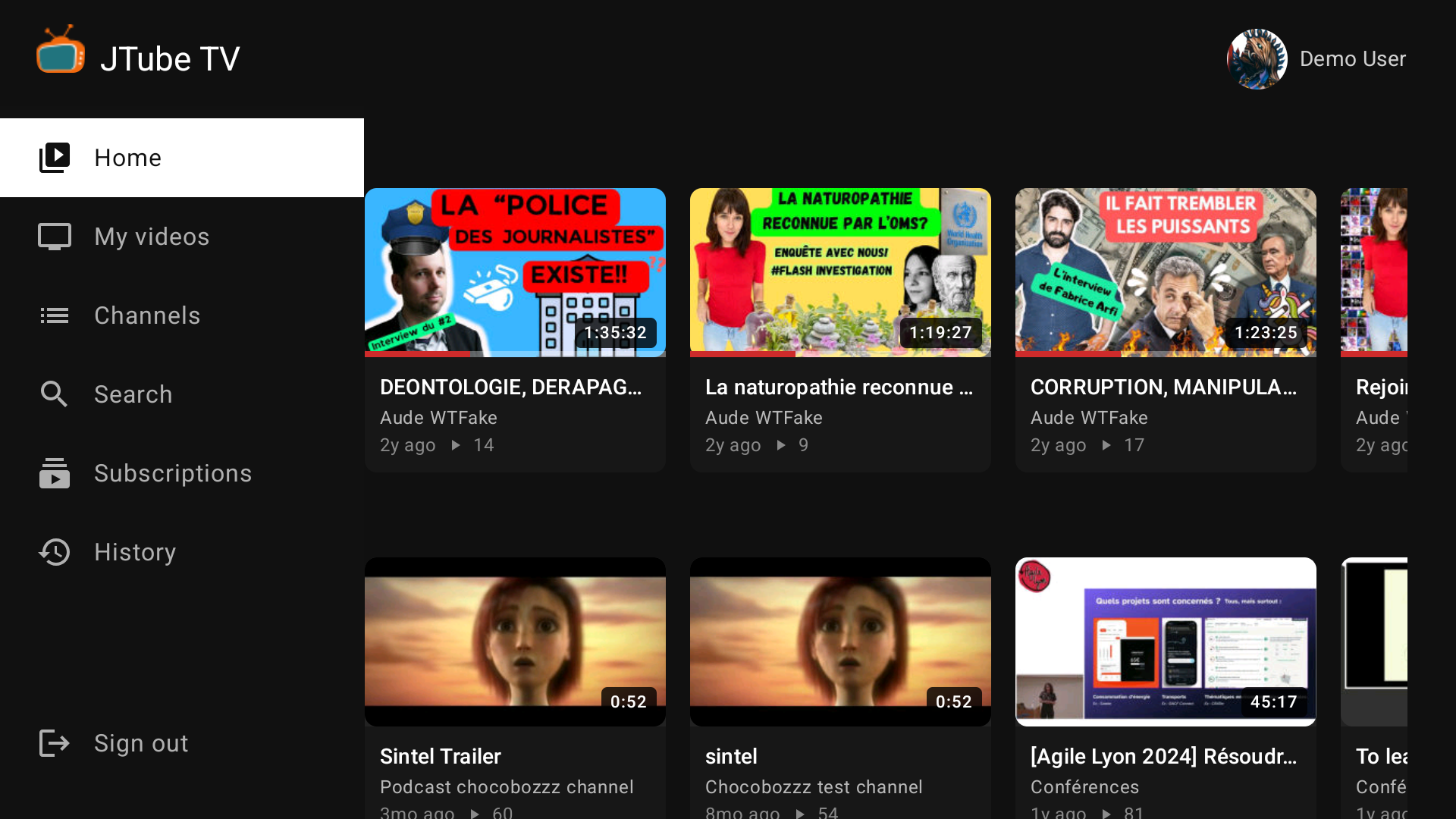
The menu. A sidebar slides in — press the left D-pad at the edge of a row, or just press Back from anywhere in a list. It jumps to Home, My videos, Channels, Search, Subscriptions and History.
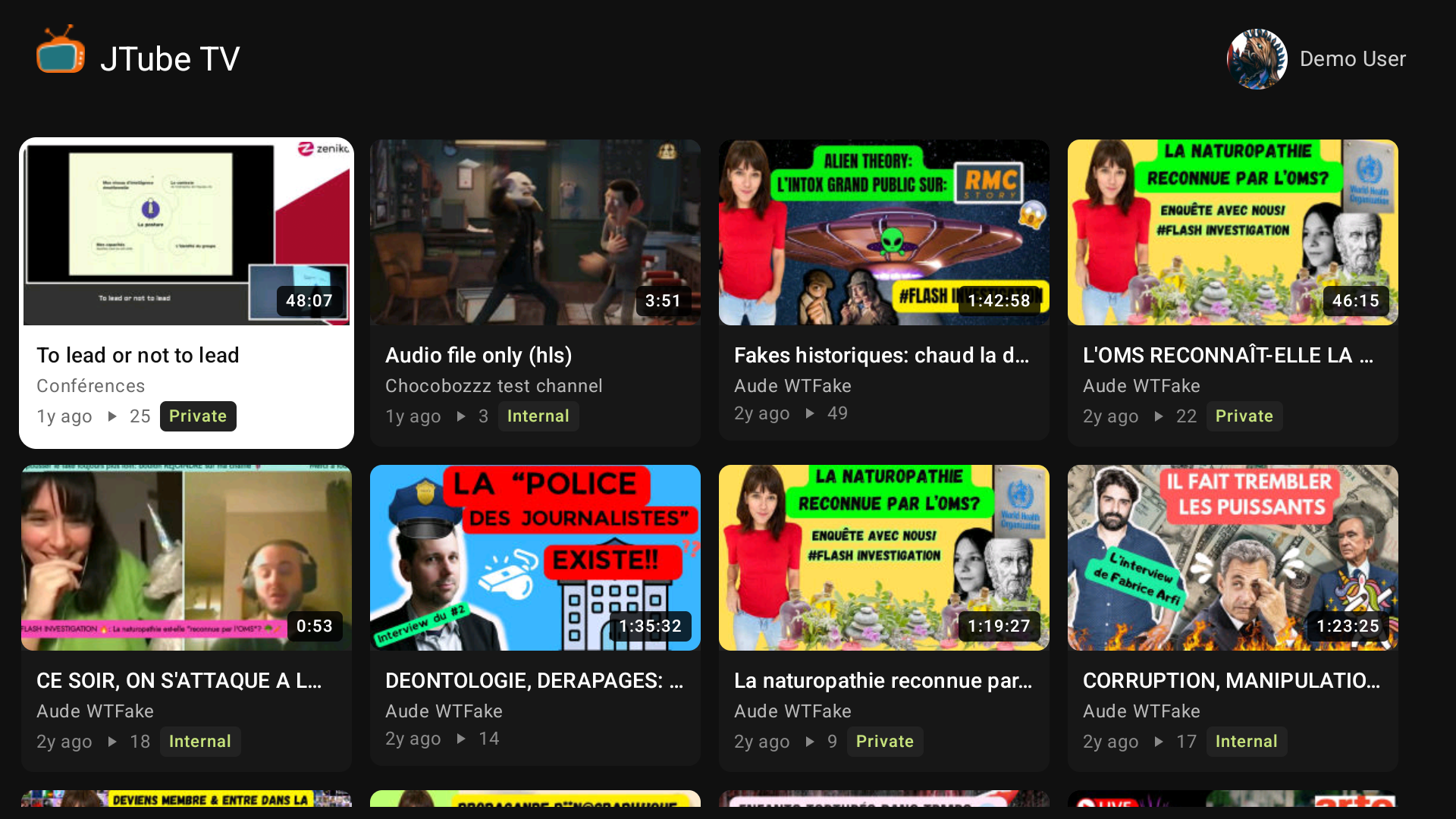
My videos. Everything you own, every privacy level, with a badge on anything that isn't public.
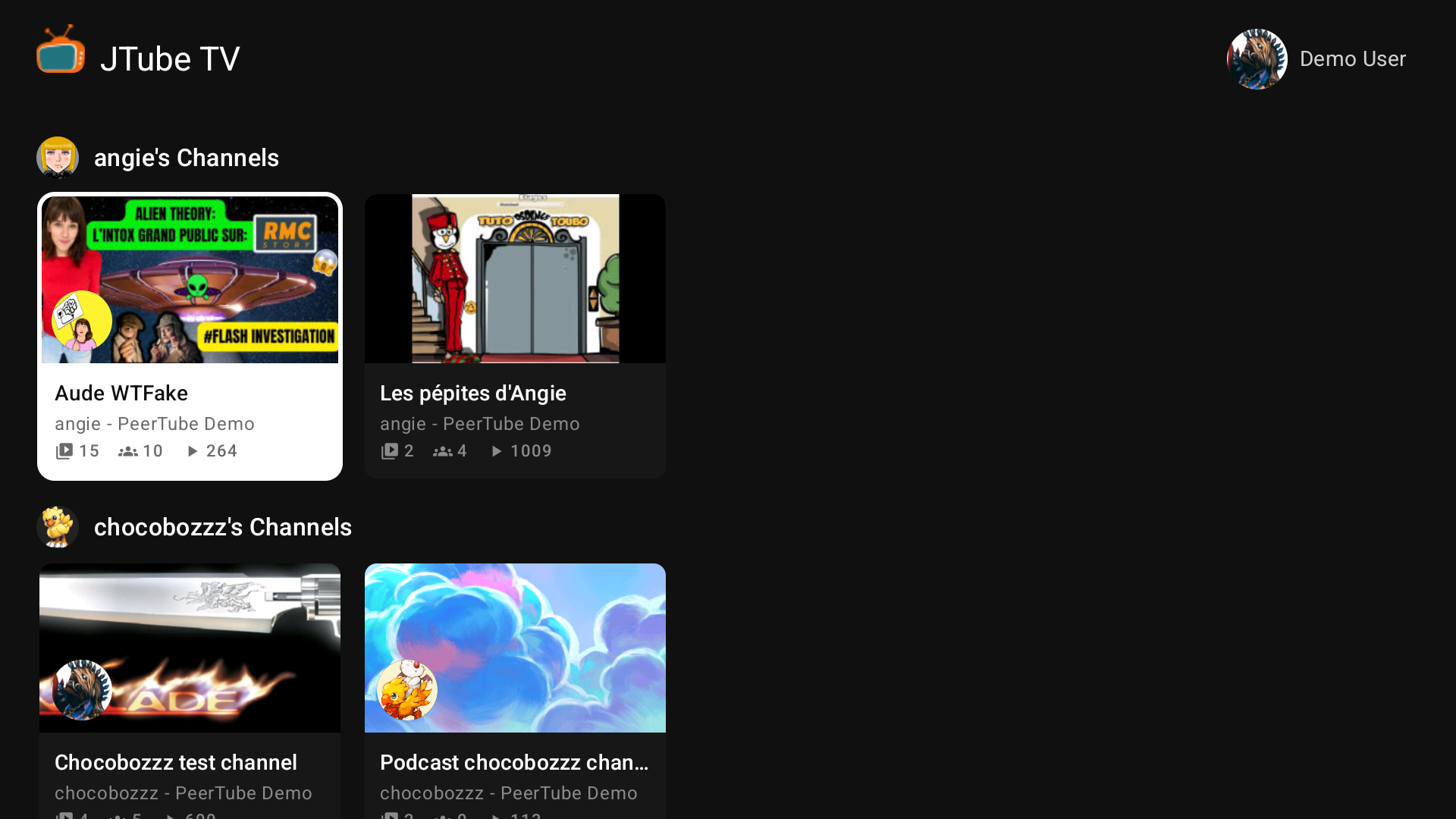
Channels. One row per owner, with video, subscriber and play counts on every card.
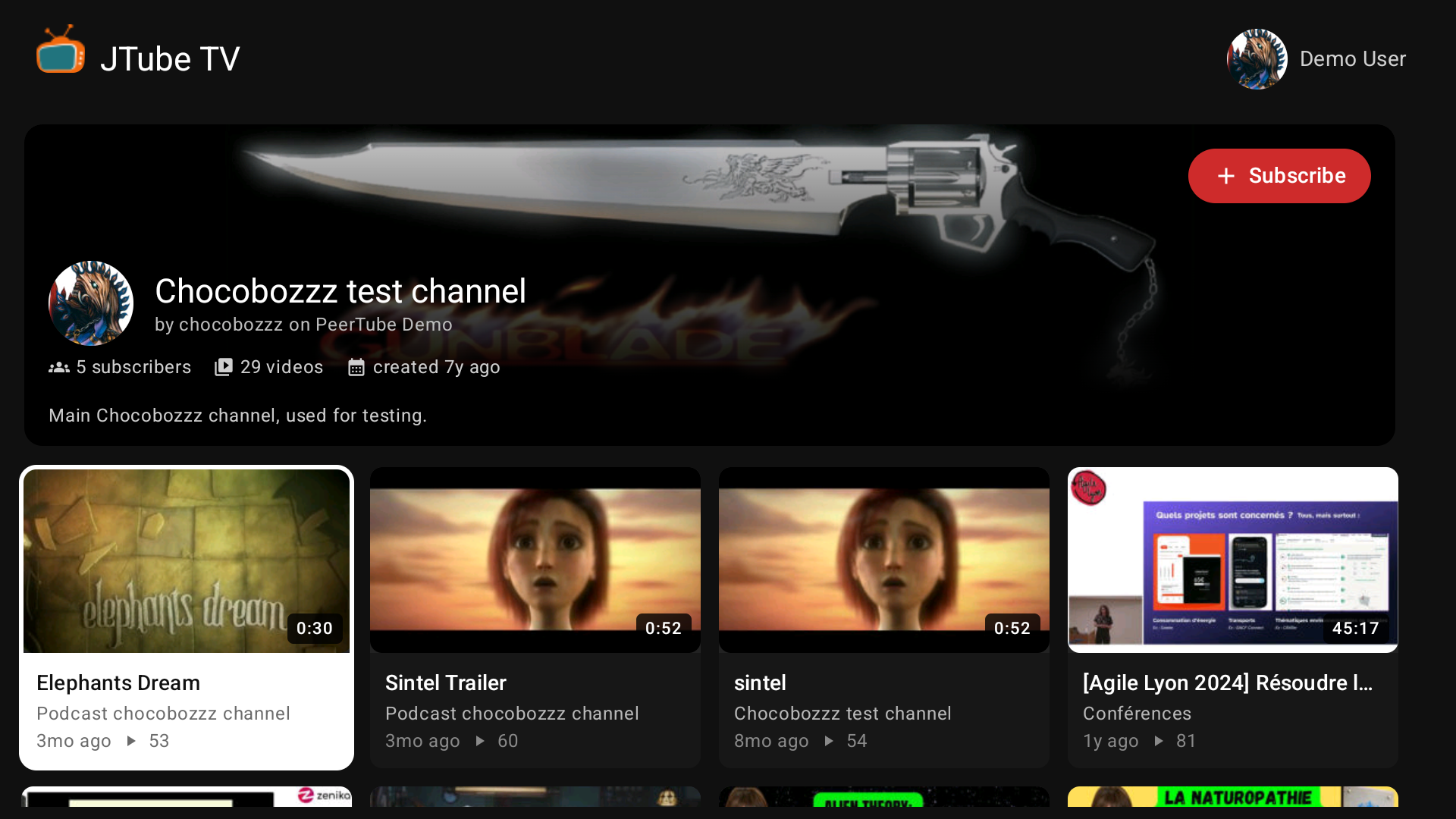
Open a channel for its banner, its stats and all its videos — with a Subscribe button you can reach with the remote.
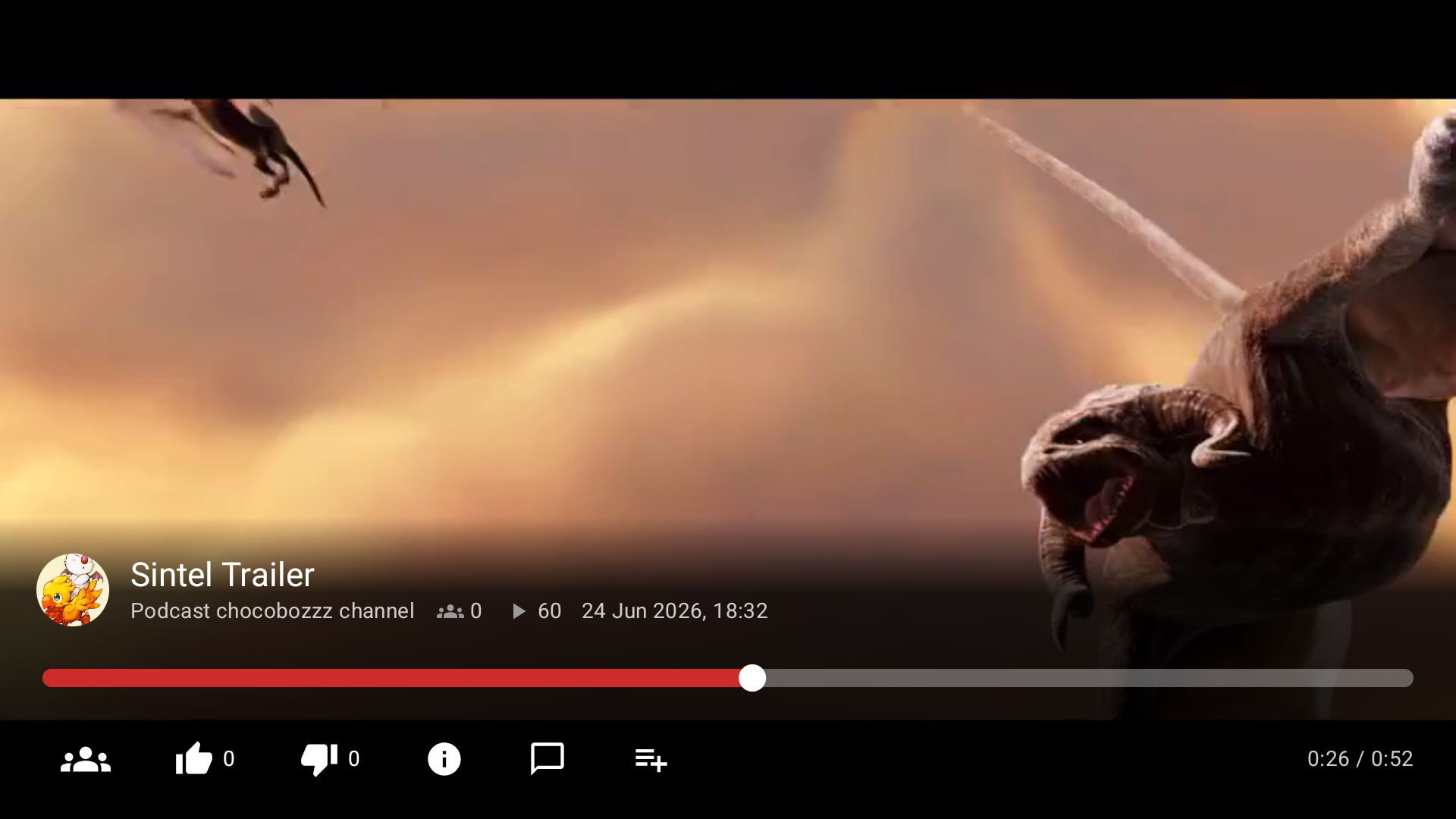
The player speaks remote: play and pause, seek back and forward, a seek bar with position and duration, and the video's info, comments and playlists a button away. Watching is reported to the server every 20 seconds, so where you left off survives closing the app.
What it does
- Sign in once. The app trades your username and password for OAuth tokens and keeps only those, encrypted with the Android Keystore. The password is never stored.
- Home with Continue watching, new local videos and new videos from your subscriptions.
- Browse and search the instance's public videos by title.
- My videos — every video you own, private, internal and unlisted included.
- Channels — local channels with their videos, plus your subscriptions and your server-side watch history.
- Subscribe to and unsubscribe from channels, from the player or a channel page.
- Player — HLS with a progressive MP4 fallback, resume from the saved position, like/dislike, comments, playlists, and watching reports.
What it deliberately does not do: uploading, editing or deleting content.
Build
Requirements: JDK 17 or newer (21 recommended) and an Android SDK with platform 35. The Gradle wrapper is checked in, so no local Gradle install is needed.
./gradlew :app:assembleDebug
Then put it on the TV:
adb connect <tv-ip>:<port>
adb install -r app/build/outputs/apk/debug/app-debug.apk
Architecture
A single-module app, deliberately small:
data/api— Retrofit interface and kotlinx-serialization DTOs for the PeerTube API.data/auth— TokenStore, the encrypted preference storage for tokens.data/network— OkHttp/Retrofit wiring: dynamic base URL, bearer token interceptor, single-flight token refresh.data/PeerTubeRepository.kt— one suspend-call surface for the whole UI.ui/— Compose for TV screens, one for each of the destinations above.- No DI framework, no database. The service locator is
AppGraph.
License
JTube TV is free software under GPL-3.0-or-later. The PeerTube logo is a trademark of Framasoft, used here to refer to the PeerTube project.