 Jeena
510c99fa3f
The WebView bridge cost more than it gave back. #50 landed Nov 3 and
four fix commits followed in two days over the seams of the bridge
alone; the p2pml library pinned okhttp {strictly 5.2.1}, whose classpath
clash killed the whole fake-backend test suite for two days (every test
died with NoClassDefFoundError before its first assertion), and the
engine set a toolchain floor (Kotlin 2.2, AGP 8.13, compileSdk 36,
Media3 1.8) plus +0.8 MB of APK for a library the emulator cannot even
run. A single playback session also carried a WebView, a Ktor loopback
server and a JS engine — the heaviest components Android has.

Playback is back to exactly the pre-#50 shape: origin/R2 streaming with
the file-token re-injection (#41) and the deep-buffer tuning (155edd0)
kept. The keeper work and the tuning from the #50 era (background token
fetch, buffered-range visibility, focus handback) all stay.

The implementation is preserved complete on branch p2p/webview-bridge,
including the byte-range research in docs/p2p.md and the upstream patch
in tools/p2p-core-patch/. The toolchain floor stays as it is — nothing
user-visible, and rolling it back risks more than it saves. A proper
implementation would be a native Kotlin WebRTC segment exchanger, not a
JS library in a WebView.

Postpones #50.
7.4 KiB
JTube TV

Watch your PeerTube instance from the couch, with the remote.
JTube TV is an Android TV app for
 PeerTube.
It does for a PeerTube instance what SmartTube does for YouTube: a big-screen,
D-pad-first way to browse your videos, your channels and your watch history and
play them — and nothing else in the way.
It is built for people who self-host their videos on PeerTube and want to watch them on the TV without a phone, a cast button or a browser. Sign in once with your PeerTube account and the whole instance is a few clicks away on the remote: your own uploads (private ones included), the channels you follow, what you were watching last, and the instance's public videos and search.
It works with any PeerTube instance over the REST API. The default in the sign-in screen is tube.jeena.net, the author's own instance, but you can point it at yours.
What it looks like
The screenshots use a public demo instance with real, CC-licensed open-movie content, courtesy of the Blender Foundation movies and the A propos de PeerTube channel — all of it plays in the app.
Home. Three rows: Continue watching picks up each video at the position the server saved, then the newest videos on your instance, then the newest from the channels you follow. Each row is a preview of twelve cards and ends with a See all card that opens the full list.
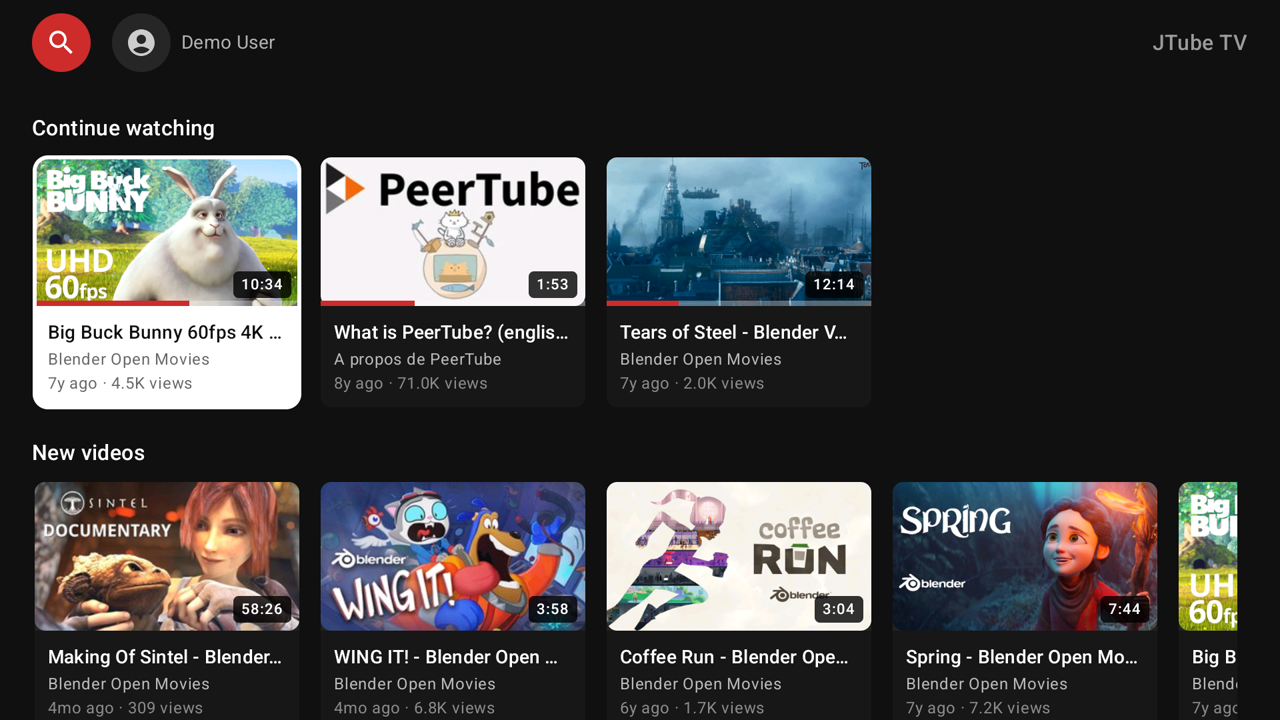
The menu. A sidebar slides in — press the left D-pad at the edge of a row, or just press Back from anywhere in a list. Search sits on top (it opens a keyboard, not a list), then Home, Subscriptions, My videos, Playlists and Channels, then Exit and Sign out. Watching history is not a menu entry of its own: it is Home's first row, and the See all card at the end of that row opens the full list.
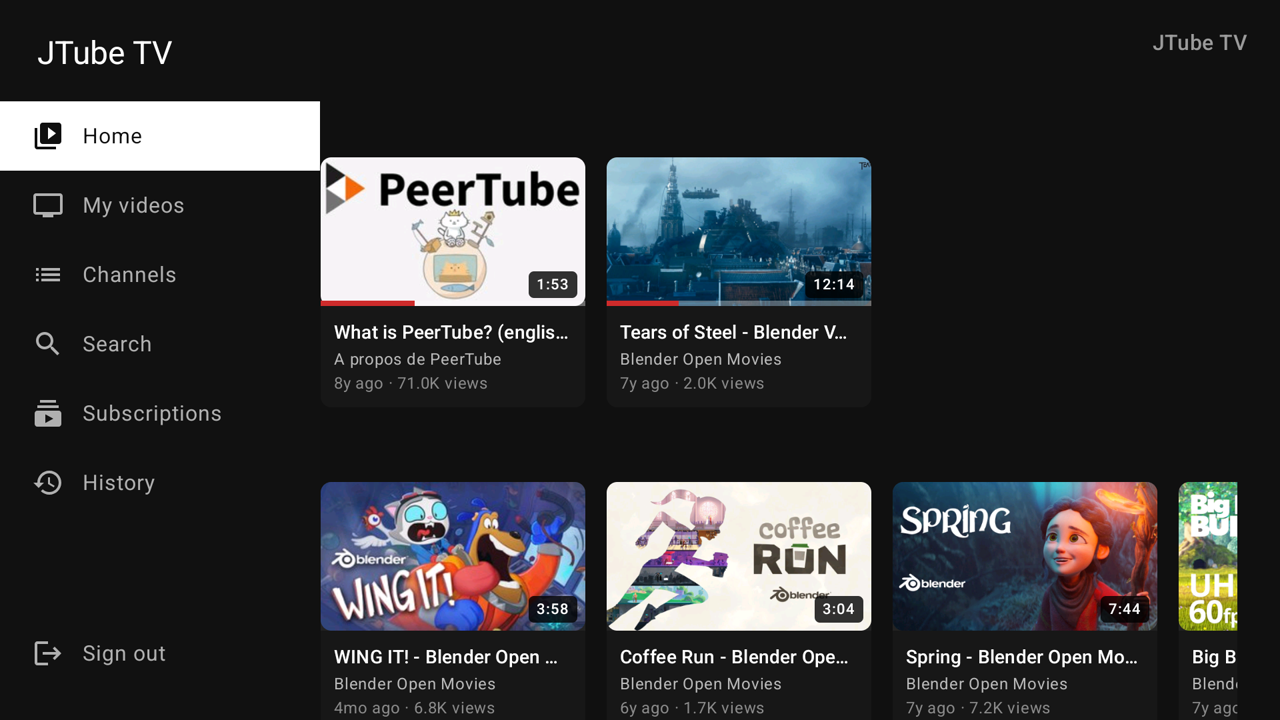
My videos. Everything you own, every privacy level. A non-public video says so everywhere its card appears, as a quiet letter at the card's right edge — Private, Internal, Unlisted — while public videos stay unmarked.
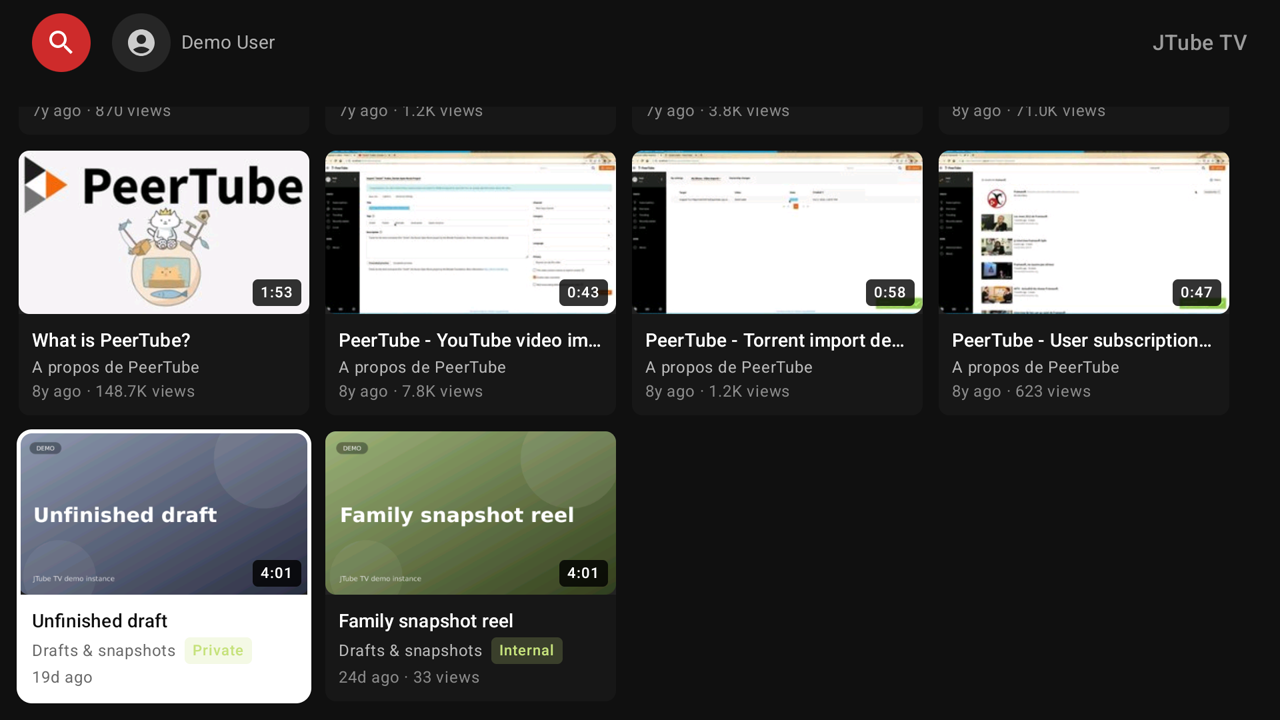
Search. One field, two questions: what to look for — videos, or channels as their own results — and where: this server, or the federated index (Vidiverse). Cards that did not come from your instance carry a small ↗, because those may play from another server.

Channels. One row per owner, with video, subscriber and play counts on every card, and the owner's own card at the end of the row.
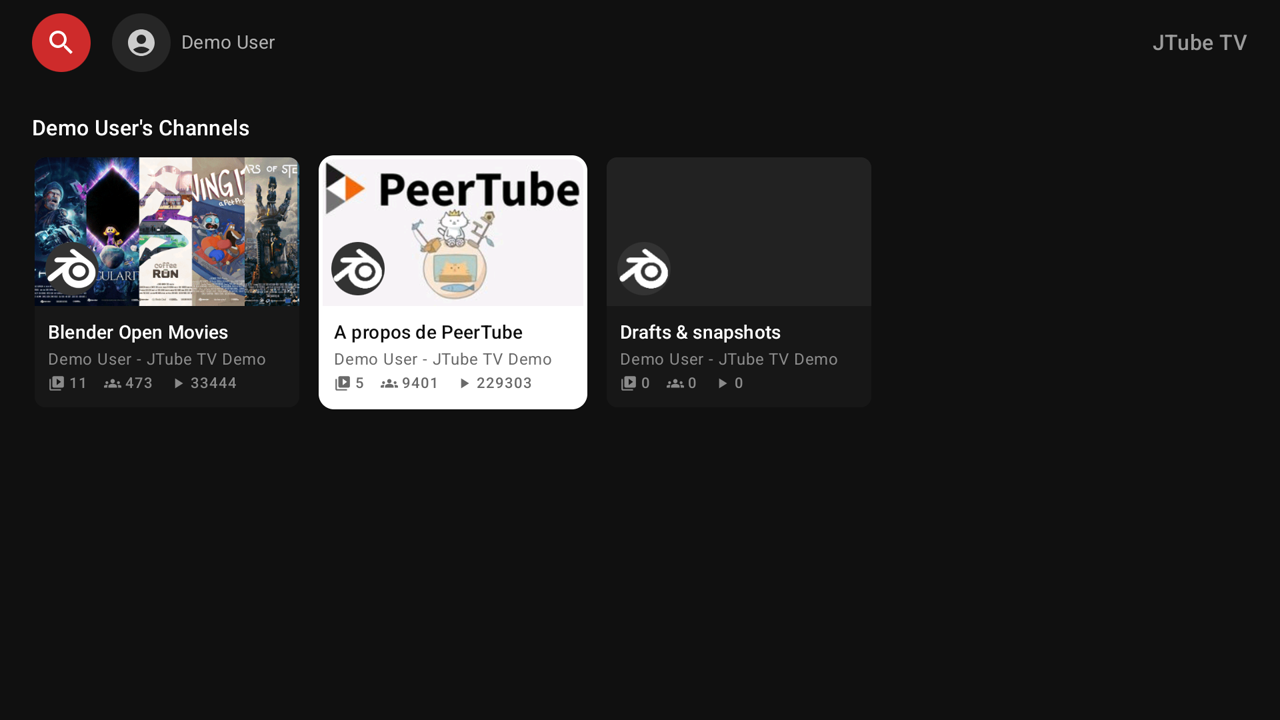
Open a channel for its banner, its stats and all its videos — with a Subscribe button you can reach with the remote.

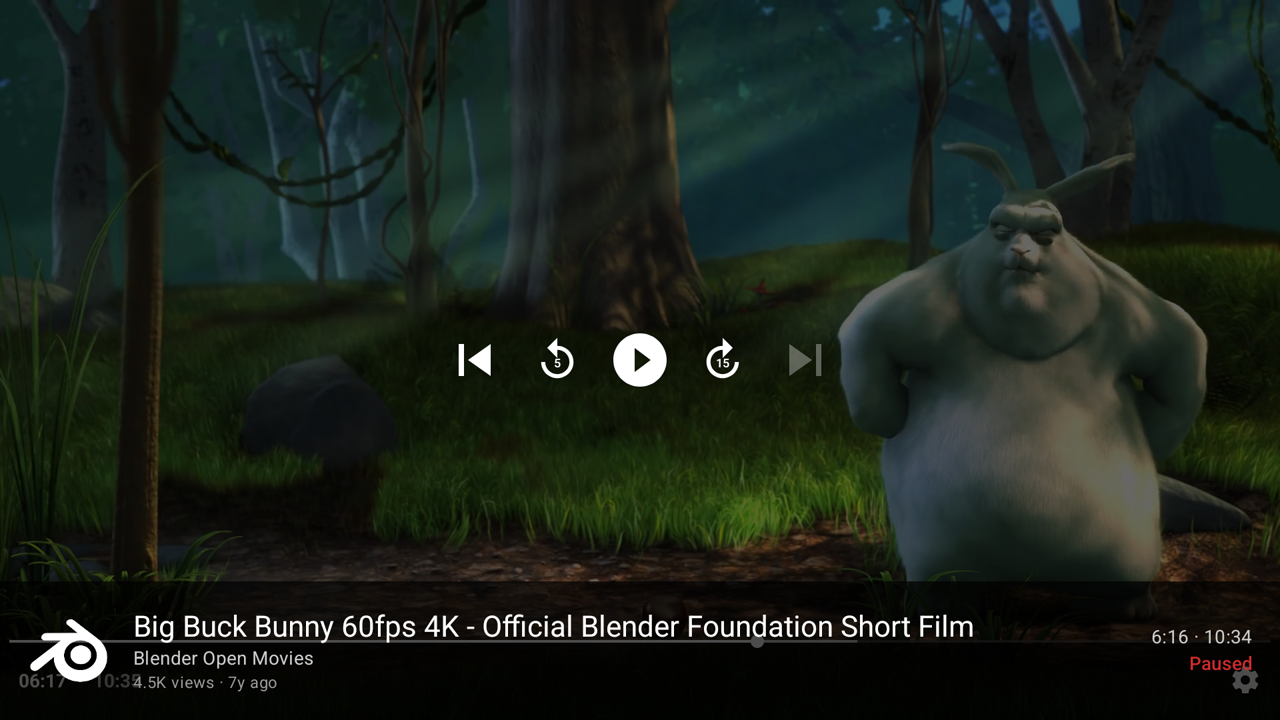
The player speaks remote: play and pause, seek back and forward, a seek bar with position and duration, and the video's info, comments and playlists a button away. Watching is reported to the server every 20 seconds, so where you left off survives closing the app.
The info panel scrolls one line per D-pad press and highlights the link that OK will open, so a long description stays readable from the couch.

What it does
- Sign in once. The app trades your username and password for OAuth tokens and keeps only those, encrypted with the Android Keystore. The password is never stored.
- Home with Continue watching, new local videos and new videos from your subscriptions.
- Browse and search the instance's public videos by title.
- My videos — every video you own, private, internal and unlisted included.
- Channels — one row per local user, each ending in a card that opens everything that person posted across their channels. A channel that lives on another server shows its full list read from that server, with its own banner, avatar and counts, and its videos play from there.
- Subscriptions — the newest videos from the channels you follow.
- Continue watching — Home's first row is the server-side watch history with the position each video was left at; its See all card opens the whole list.
- Subscribe to and unsubscribe from channels, from the player or a channel page.
- Player — HLS with a progressive MP4 fallback, resume from the saved position, like/dislike, comments, playlists, and watching reports.
What it deliberately does not do: uploading, editing or deleting content.
Build
Requirements: JDK 17 or newer (21 recommended) and an Android SDK with platform 35. The Gradle wrapper is checked in, so no local Gradle install is needed.
./gradlew :app:assembleDebug
Then put it on the TV:
adb connect <tv-ip>:<port>
adb install -r app/build/outputs/apk/debug/app-debug.apk
Debug builds are interpreted by ART (a debuggable APK cannot be AOT-compiled),
so do not judge speed with them — see docs/perf-debug-builds.md. The APK that
gets installed on a TV is :app:assembleRelease.
Releasing
Releases are published as Forgejo releases, and the app updates itself from
them (an Update row appears in the sidebar when a newer version exists).
The version lives in version.properties, and the release description carries
the versionCode the update check reads. The full runbook — bumping, tagging,
signing, publishing, and what to check when an update does not show up — is in
docs/releases.md.
Architecture
A single-module app, deliberately small:
data/api— Retrofit interface and kotlinx-serialization DTOs for the PeerTube API.data/auth— TokenStore, the encrypted preference storage for tokens.data/network— OkHttp/Retrofit wiring: dynamic base URL, bearer token interceptor, single-flight token refresh.data/PeerTubeRepository.kt— one suspend-call surface for the whole UI.ui/— Compose for TV screens, one for each of the destinations above.- No DI framework, no database. The service locator is
AppGraph.
License
JTube TV is free software under GPL-3.0-or-later. The PeerTube logo is a trademark of Framasoft, used here to refer to the PeerTube project.